What Is the Aluminum Surcharge?
Due to aluminum material costs almost doubling, Handi-Ramp is adding a 10% temporary surcharge to all aluminum ramp products. This fee is applied automatically at checkout — customers don't need to enter a code or make any changes.
The surcharge shows up in two places: on the product page (before they add to cart) and as its own line item in the cart. It's transparent, clearly labeled, and cannot be removed by the customer.
Which Products Are Affected?
- 🚐 Cargo Van Ramps
- 🚪 Sliding Door Threshold Ramps
- 🐴 Horse Mounting Ramps
- ♿ Modular Portable Wheelchair Ramps (FG-PAR series)
- 🔩 Steel ramps & products
- 📦 Accessories & hardware
- 🪵 Non-aluminum materials
What the Customer Sees Before Adding to Cart
When a customer selects a variation (length, model, etc.) on an aluminum product page, the surcharge amount and new total appear automatically — before the Add to Cart button.
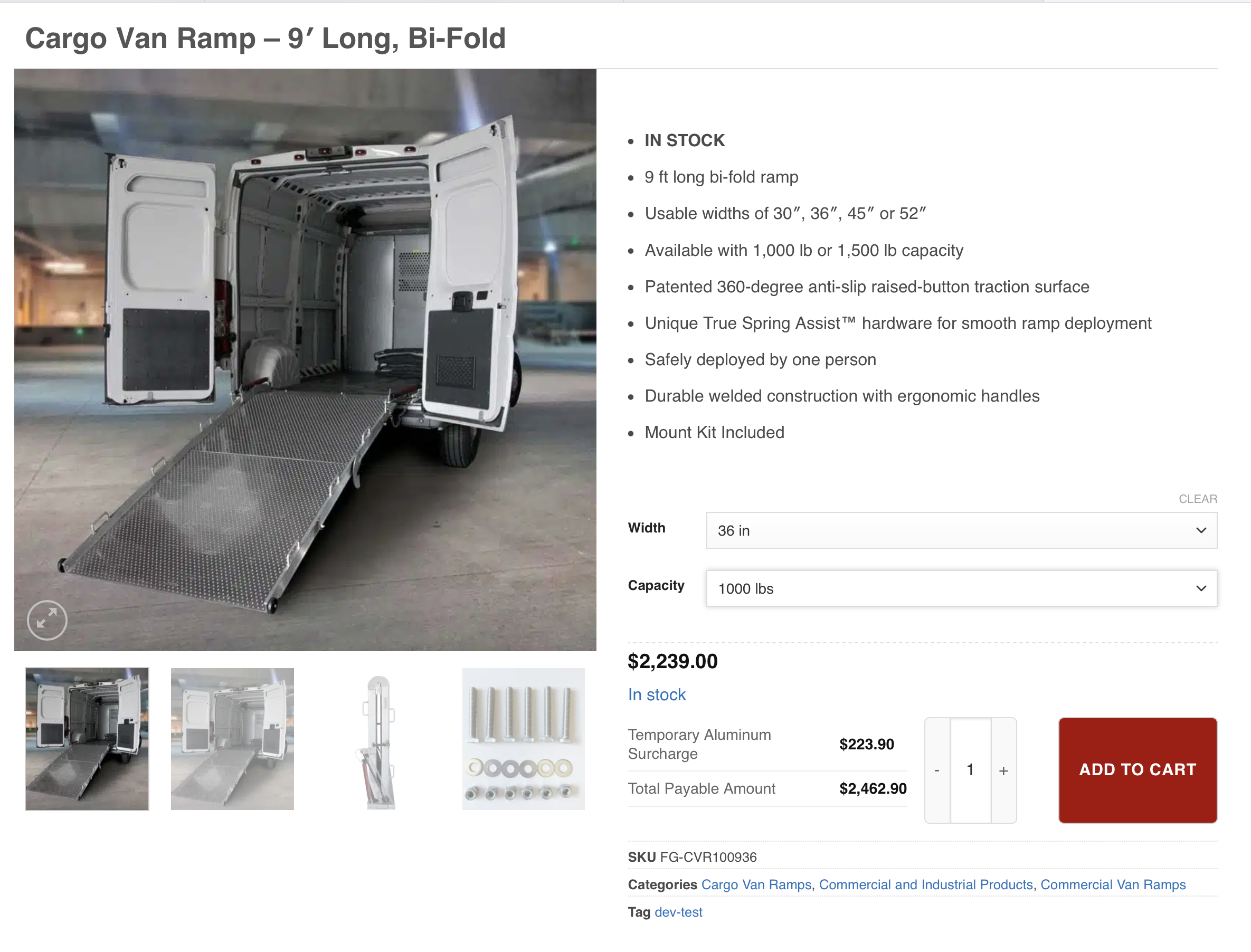
- The surcharge box only appears after a customer picks a variation (size/model). It won't show on the base product page until they interact.
- It shows the exact dollar amount — not just "10% will be added."
- The "Total Payable Amount" is the surcharge + base price combined.
- For kit products (like Sliding Door Threshold Ramps that come in 3-piece sets), the surcharge is calculated per piece and shown as a combined total.
What the Cart Looks Like
Each aluminum product in the cart gets its own surcharge line item directly below it. The customer cannot remove the surcharge — the remove button is hidden on those lines.
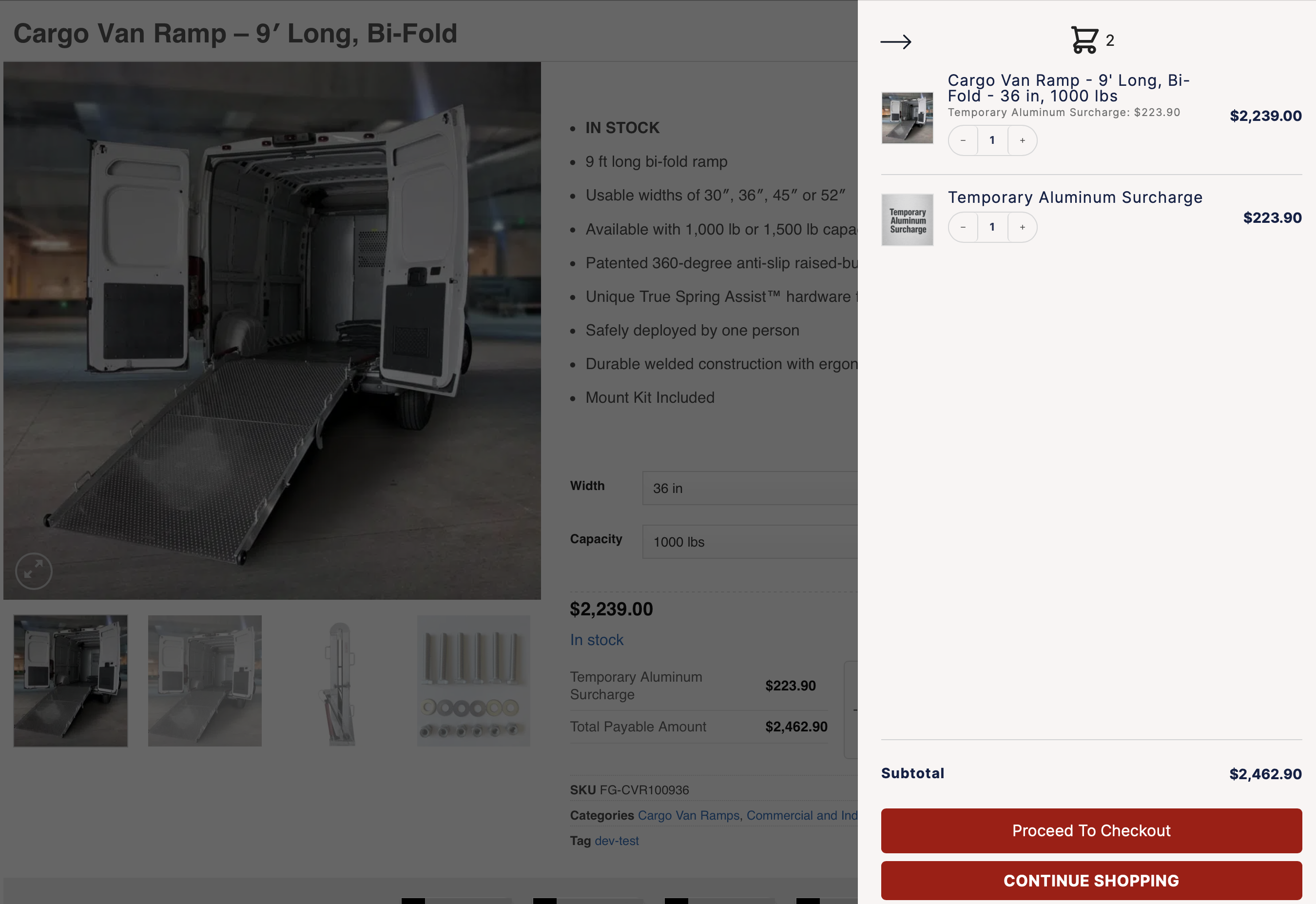
- One surcharge line per aluminum product
- If they order 2 of a product, the surcharge reflects 2× the price
- Remove the product → surcharge auto-removes
- Surcharge shows in the final order confirmation & order history
- Customer cannot remove just the surcharge line
- No coupon code will remove it (it's a product, not a discount hook)
- Cannot be edited in quantity — it's always tied to the parent item
- The base product price is not inflated — surcharge is always separate
What Checkout Looks Like
The surcharge lines carry through to the checkout page — customers see them in the order summary before entering payment. No surprises at the last step.
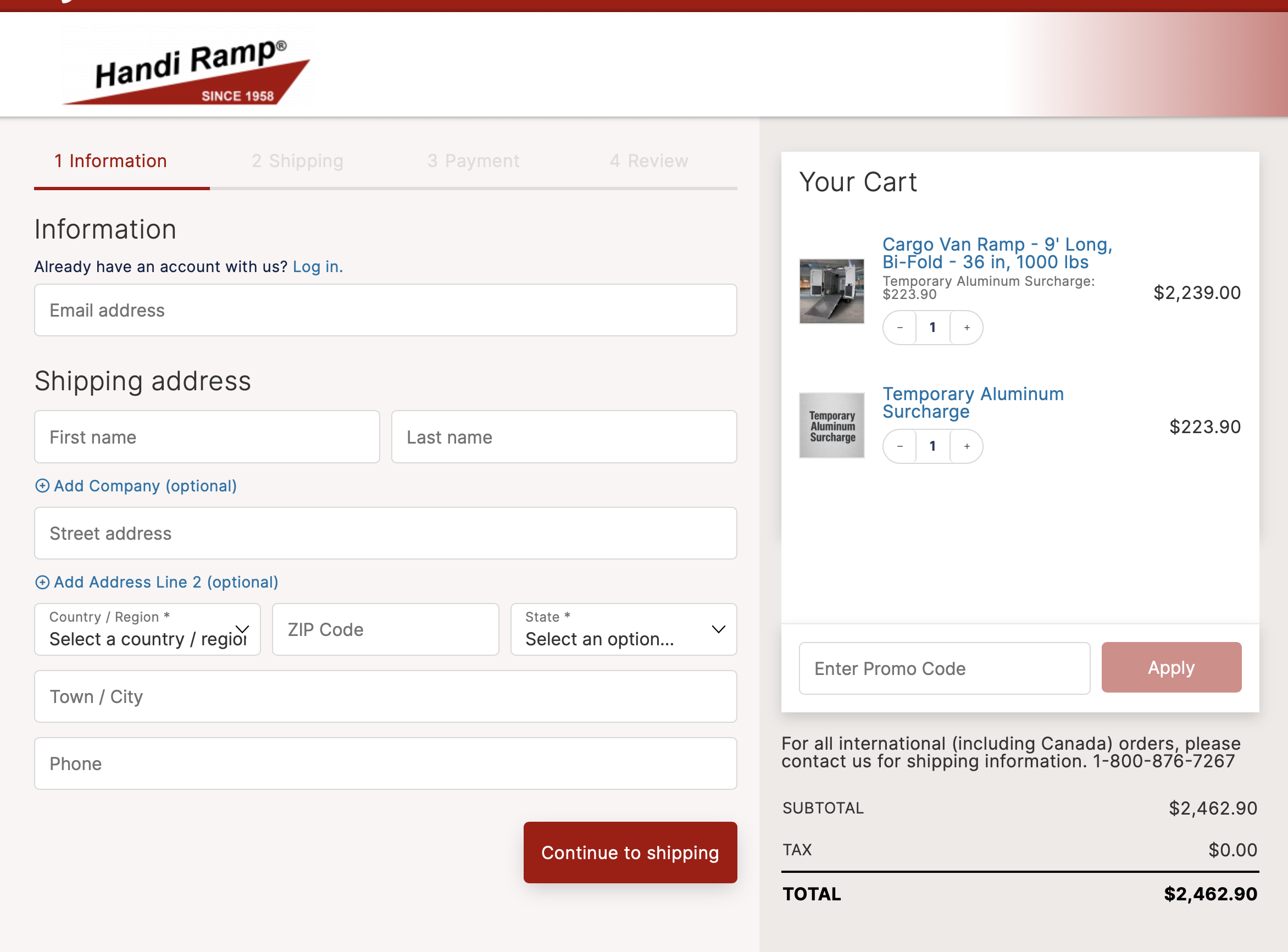
The Customer's Journey, Step by Step
No surcharge visible yet — it only appears after they select a variation/model.
The "Temporary Aluminum Surcharge" table appears automatically showing the fee amount and new total before the Add to Cart button.
Two line items are added: the product itself, and a separate "Temporary Aluminum Surcharge" line at 10% of the product price.
They see both lines clearly. The surcharge has no remove button. If they remove the product, the surcharge line disappears automatically.
The surcharge appears on the order confirmation email and order history, labeled "Temporary Aluminum Surcharge."